Start with the phone in front of you
A used iPhone can fit your budget well when its condition, capabilities and purchase terms fit your needs. Give yourself time to inspect the actual unit. A clean box, a polished frame or a reassuring listing cannot tell you how it behaves. Our advice is to agree on an inspection before travelling, keep a note of the advertised offer and make payment conditional on a satisfactory handover. This guide is an inspection aid; a short visit cannot reveal every fault.
Used iPhone price in Sri Lanka: compare the complete quote
Ask the seller to confirm the exact model, storage, regional model number, visible damage, known repairs and included accessories. Request a final price in LKR for your chosen payment method, along with the warranty provider and return terms. Compare offers for equivalent condition and capacity. We have not collected current retailer quotes for this guide, so there is no local price ranking here. Decide your maximum total budget before inspecting a more expensive alternative.
Clear Activation Lock before taking ownership
Have the seller remove their account and erase the device after backing up their own data. Then begin setup with an internet connection. If it asks for the previous owner's Apple Account, or shows iPhone Locked to Owner, stop the purchase until the owner resolves it. Seeing the Hello screen alone is not your full inspection: continue activation and reach the Home Screen so you can test the phone. Never accept a promise that the account will be removed after payment.
Read battery health in context
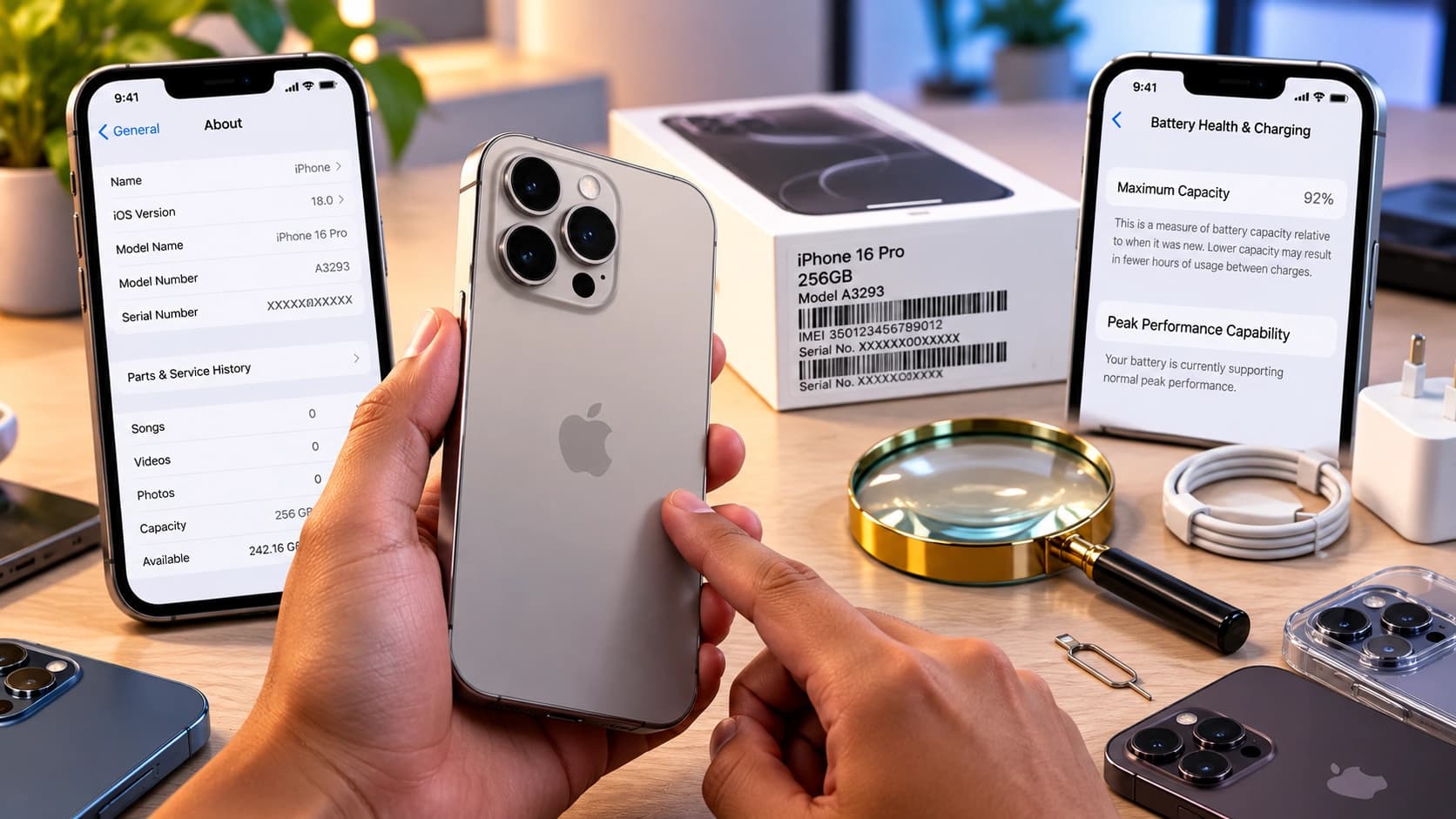
Open Settings, then Battery, and look for Battery Health or Battery Health & Charging; the wording depends on the device and software. Read the capacity estimate and any service or performance messages together. Maximum capacity describes capacity relative to a new battery, rather than guaranteed hours between charges. Our advice is to ask for a replacement quote if battery condition concerns you and include that cost in your budget. A high percentage alone would not persuade us to skip the rest of the inspection.
Ask about repairs, then check the available history
Look in Settings > General > About for Parts and Service History. Available records depend on the model and iOS version. Genuine identifies a repair using genuine Apple parts and processes; Used indicates a part previously installed in another iPhone. Unknown can have several causes, including a nongenuine, malfunctioning or unverified part. Ask the seller to explain any messages and provide repair paperwork. A missing history section is not a complete certificate of an untouched phone, and only the most recent service appears when a part has been serviced repeatedly.
Test the things you will use every day
With the seller's permission, remove the case and inspect the screen, frame, camera lenses and charging port under good light. Look for cracks, gaps and damage that the case concealed. Once the phone is set up, work through the tests below. These are our practical inspection suggestions, rather than a diagnostic certification. If a function matters to you, use it yourself; do not settle for a demonstration video of a different unit.
- Display and touch: adjust brightness, open light and dark screens, type across the keyboard and drag an item around the display to look for missed touch input.
- Biometrics: during an agreed setup, enrol and test Face ID or Touch ID if the model supports it. Ask about any setup failure before proceeding.
- Cameras: try front and rear cameras, near and distant focus, and the available camera views. Record a short clip and review it with sound.
- Audio: make a test call with consent and check the earpiece, speakerphone and microphone. Listen for distortion or interruptions.
- Controls and charging: try each physical button, vibration and the charging connection with a compatible cable. Test wireless charging if it matters to your purchase.
- Connectivity: connect to Wi-Fi, try a Bluetooth accessory and check mobile data with your intended service where possible.
Confirm the SIM arrangement and network lock
In Settings > General > About, check Carrier Lock or Network Provider Lock. No SIM restrictions indicates an unlocked iPhone. Only the locking carrier can arrange a carrier unlock; Apple cannot do it for you. For a Sri Lankan purchase, ask your intended operator to confirm the exact regional model and physical SIM or eSIM arrangement before committing. Our recommendation is to test your own service where practical and avoid budgeting around an unlock that has not happened.
Put the condition and warranty in writing
Ask for a receipt identifying the seller, purchase date, exact device, storage, serial number or IMEI, and amount paid. Match those details to the phone, rather than relying on the box. Have known defects and promised repairs recorded. Ask who handles a claim, which parts and labour are covered, what is excluded, and how returns work. A shop warranty should name the responsible business. Keep a copy of the listing and written terms with the receipt so you can refer to the complete offer later.
Save this in-store checklist
Screenshot this list before you visit. Mark an item complete only after checking the actual unit. If the seller rushes you or a question remains unresolved, give yourself time to decide before paying.
- Exact model, storage and device identifiers match the written offer.
- Case removed; screen, body, lenses and port inspected.
- Battery health and available repair records reviewed; questions answered.
- Previous owner's account removed; erased phone activated successfully.
- Touch, biometrics, cameras, audio, buttons and charging tested.
- Network lock checked and intended SIM or eSIM arrangement confirmed.
- Final LKR total, accessories, defects, warranty and return terms recorded.
- Receipt received and copies of the offer and inspection notes saved.
A FEW MORE ANSWERS
Before you decide.
What battery-health percentage should I accept?
We would not use one percentage as a universal buying rule. Consider the service messages, your daily needs, the asking price and an actual replacement quote. If you cannot establish a battery condition you are comfortable with, keep looking.
Does a matching box prove the phone is in good condition?
Our advice is to treat packaging as a supporting detail. Inspect and test the actual phone, compare its identifiers with the receipt, and base your decision on the unit and written purchase terms.
Should I accept a repair discount?
Only if you understand the problem and are comfortable with the complete cost. Get a repair assessment and quote before buying. Our recommendation is to leave unresolved faults with the seller rather than guessing what they will cost to fix.
What should I bring to the inspection?
Bring this checklist, a compatible cable and charger, your SIM where applicable, and a Bluetooth accessory if useful. Arrange internet access for activation, allow enough time, and keep your budget and required features in a written note.